Pitch Scoring
Nightingale includes real-time pitch scoring to gamify the karaoke experience.
How It Works
- Microphone input — select your microphone and toggle it on with
M - Pitch detection — your vocal pitch is analyzed in real-time
- Comparison — your pitch is compared against the reference vocal track (or the original mix for songs analyzed without stem separation, where scoring is less accurate)
- Scoring — accuracy is tracked throughout the song
Star Ratings
At the end of each song, you receive a star rating based on your overall pitch accuracy. Ratings are saved to your profile’s scoreboard.
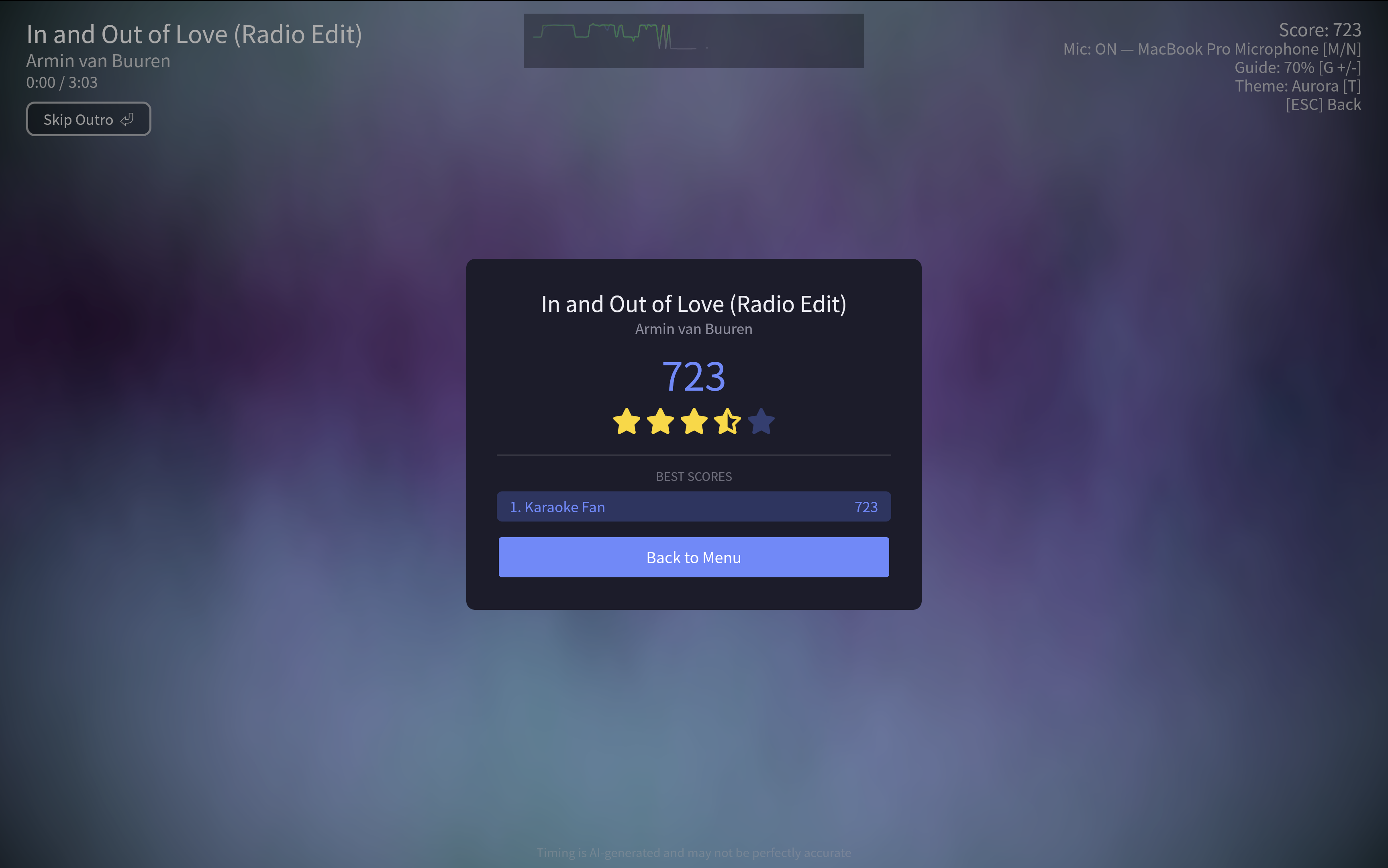
Results
The results screen appears at the end of a song whenever your score is above 0. If an active profile is set, the score is saved to the leaderboard.
Microphone Selection
- Press
Mto toggle the microphone on/off - Press
Nto cycle through available microphones - Press
Rto toggle mic monitoring during playback - Select a preferred microphone in Settings → General
- The active microphone is shown in the HUD during playback
Latency Calibration
Use Settings → General → Mic latency to compensate for speaker-to-microphone delay. The test plays a short beep, listens for it through the selected microphone, and saves mic_latency_compensation_sec. You can also adjust the value manually if your room or audio device needs extra tuning.
Per-Song Scoreboards
Each song maintains a scoreboard of past performances. Scores are tracked per profile, so multiple singers can compete on the same songs.